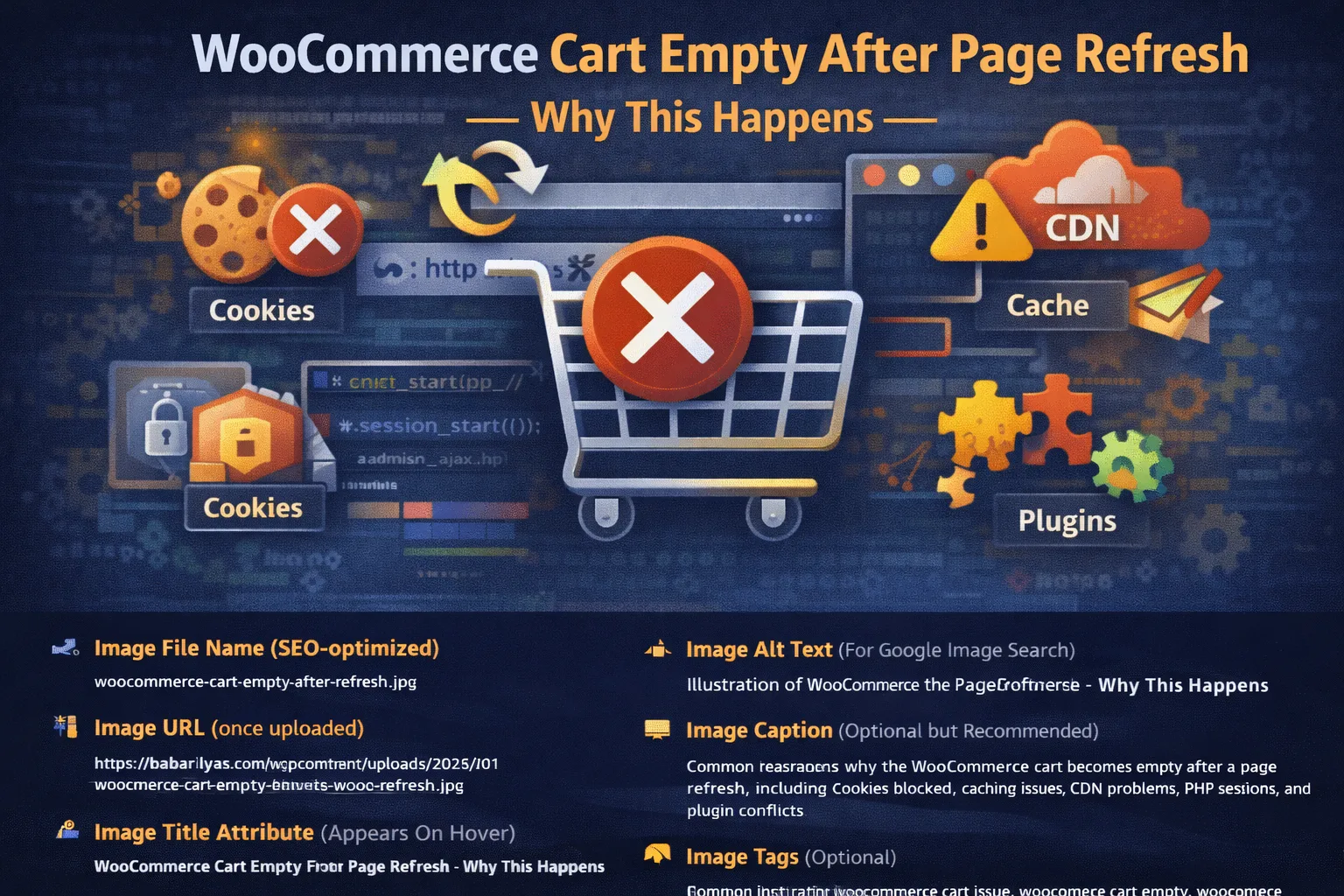
A WooCommerce cart becomes empty after page refresh when sessions or cookies are not being saved correctly. This is usually caused by caching, HTTPS issues, CDN interference, blocked cookies, or server-side session problems.
A WooCommerce cart empty after page refresh issue is one of the most damaging problems an online store can have. Customers add products, refresh the page or navigate to checkout, and suddenly the cart is empty. No error. No warning. Just lost intent and lost revenue.
This issue almost always comes down to sessions, cookies, caching, or server configuration. WooCommerce relies on these systems to persist cart data between page loads. When even one of them fails, the cart cannot be restored.
This guide explains why the WooCommerce cart becomes empty after page refresh, what actually breaks under the hood, and how to fix each cause properly.
How WooCommerce Stores Cart Data
WooCommerce does not store cart contents in the database by default. Instead, it uses:
- PHP sessions
- Browser cookies
- AJAX calls
- Server-side session storage
If sessions or cookies fail, WooCommerce has no way to remember the cart.
External reference on WooCommerce session handling:
Cause 1: Cookies Not Being Saved Properly
This is the most common cause of the cart emptying after refresh.
WooCommerce relies on cookies such as:
woocommerce_cart_hashwoocommerce_items_in_cartwp_woocommerce_session_*
If these cookies are blocked, cleared, or not persisted, the cart resets.
Why Cookies Fail
- HTTP vs HTTPS mismatch
- Incorrect site URL settings
- CDN or caching misconfiguration
- Browser cookie restrictions
- Cross-domain issues
External reference on browser cookies:
How to Fix It
- Ensure the site runs fully on HTTPS
- Confirm WordPress Address and Site Address match exactly
- Avoid mixing www and non-www
- Test cookies in an incognito window
- Disable CDN temporarily and retest
Cause 2: Caching the Cart or Checkout Pages
Caching is another top offender.
If the cart page is cached, WooCommerce serves a stale version of the cart that does not reflect the current session. On refresh, the cached version overwrites the live cart.
Pages That Must Never Be Cached
- Cart
- Checkout
- My Account
This mistake is extremely common with aggressive caching plugins or server-side caching.
External reference on WooCommerce caching rules:
How to Fix It
- Exclude cart and checkout URLs from cache
- Disable page caching for logged-in users
- Disable cache for URLs containing
?add-to-cart= - Clear all caches after changes
Cause 3: Sessions Not Persisting on the Server
WooCommerce sessions are stored server-side. If the server cannot persist sessions, the cart disappears on reload.
Common Server Issues
- Sessions stored in
/tmpand getting purged - Object cache misconfiguration
- Low disk space
- PHP session handler misconfigured
External reference on PHP sessions:
How to Test
- Add an item to cart
- Refresh the page
- Check if the
wp_woocommerce_session_*cookie changes every load
If the session ID keeps changing, sessions are not persisting.
Cause 4: admin-ajax.php or AJAX Requests Failing
WooCommerce relies on AJAX to update and restore cart fragments.
If admin-ajax.php is blocked or failing, the cart may appear empty after refresh.
This is often tied to:
- Security plugins
- Hosting firewalls
- CDN rules
- AJAX 400 or 403 errors
External reference on WordPress AJAX:
How to Fix It
- Check browser Network tab for failed admin-ajax requests
- Disable security plugins temporarily
- Whitelist admin-ajax.php in firewalls
- Bypass CDN rules for AJAX endpoints
Cause 5: Mixed Content or SSL Issues
If parts of your site load over HTTP and others over HTTPS, cookies may not be saved correctly.
Symptoms:
- Cart works until refresh
- Cart clears on navigation
- Cookie warnings in browser console
External reference on mixed content:
Fix
- Force HTTPS site-wide
- Replace hardcoded HTTP assets
- Update database URLs if needed
Cause 6: Plugin Conflicts Modifying Cart Behavior
Plugins that touch cart logic can easily break session handling.
Common plugin categories:
- Dynamic pricing plugins
- Currency switchers
- Cart customization plugins
- Analytics and tracking tools
Debugging Steps
- Disable all plugins except WooCommerce
- Test cart behavior
- Re-enable plugins one by one
Cause 7: CDN or Reverse Proxy Issues
CDNs like Cloudflare can cache cookies or strip headers if not configured correctly.
Common CDN problems:
- Cache Everything rules
- Cookie stripping
- Aggressive edge caching
- Bot protection interfering with sessions
Fix
- Disable caching for cart and checkout
- Allow WooCommerce cookies
- Bypass cache for logged-in users
Cause 8: REST API or Loopback Failures
WooCommerce depends on internal loopback and REST API calls. If these fail, session handling can break.
Check:
- Tools → Site Health
- REST API errors
- Loopback request errors
External reference on WordPress Site Health:
How to Debug the Cart Empty Issue Properly
Follow this order to avoid guessing:
- Test cookies in browser DevTools
- Disable caching and CDN
- Check admin-ajax requests
- Test with default theme
- Disable all plugins except WooCommerce
- Verify HTTPS and URLs
- Check server session storage
This approach finds the root cause quickly.
When This Issue Breaks Checkout Too
A cart empty after refresh often leads to checkout failures, infinite loaders, or orders not being created.
When You Need Developer-Level Help
If the cart keeps clearing after:
- Cache exclusions
- Plugin isolation
- CDN testing
- Server checks
then the issue is almost always hosting-level or custom-code related.
At that point, debugging without logs and server access wastes time and revenue.