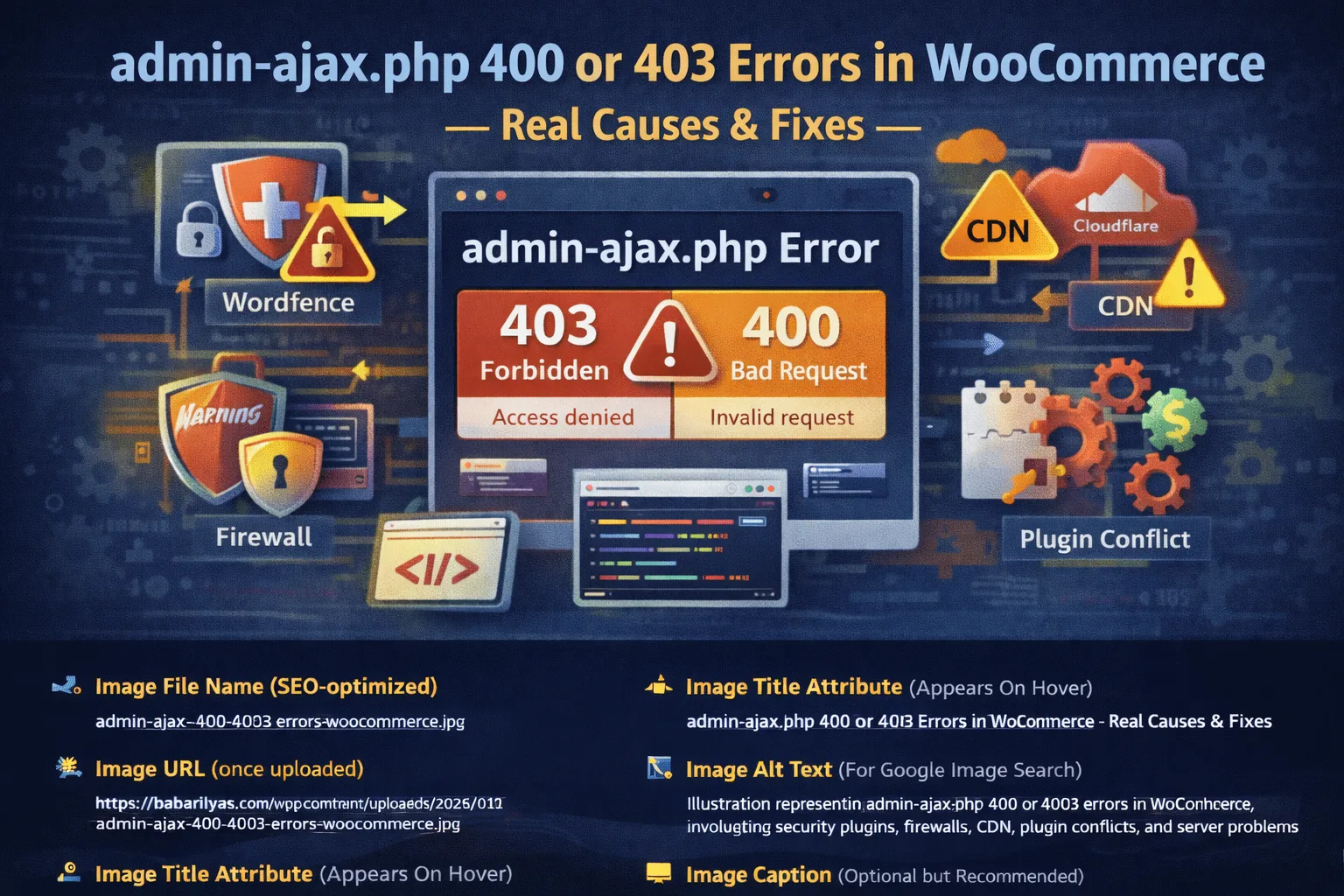
admin-ajax.php 400 or 403 errors in WooCommerce are usually caused by security plugins, hosting firewalls, ModSecurity rules, CDN protections, plugin conflicts, or malformed AJAX requests. These errors block or reject WooCommerce’s AJAX calls, breaking checkout and cart functionality.
If you’re seeing admin-ajax.php 400 or 403 errors in WooCommerce, your store is already broken in ways you might not fully see yet. These errors commonly cause checkout failures, cart issues, payment problems, and infinite loading states. In many cases, they are the root cause behind WooCommerce checkout stuck on loading.
The problem is that admin-ajax.php sits at the intersection of WordPress core, WooCommerce, plugins, security rules, and server configuration. When any layer blocks or corrupts the request, WooCommerce features stop working.
This guide breaks down exactly why admin-ajax.php returns 400 or 403 errors in WooCommerce, and how to fix each cause properly.
What admin-ajax.php Does in WooCommerce
admin-ajax.php is the WordPress endpoint used for handling AJAX requests. WooCommerce relies on it heavily for:
- Add to cart actions
- Checkout validation
- Payment processing
- Cart updates
- Fragment refreshes
- Dynamic pricing and shipping calculations
If this endpoint fails, WooCommerce can’t complete actions that depend on real-time responses.
External reference on WordPress AJAX architecture:
Difference Between 400 and 403 Errors
Understanding the status code matters.
400 Bad Request
A 400 error means the request reached the server but was rejected as malformed or invalid.
Common causes:
- Invalid request payload
- Corrupted form data
- PHP input limits exceeded
- Server rejecting request size or format
403 Forbidden
A 403 error means the request was blocked intentionally.
Common causes:
- Security plugins
- Hosting firewalls
- ModSecurity rules
- Cloudflare or WAF blocking
External reference on HTTP status codes:
Cause 1: Security Plugins Blocking admin-ajax.php
This is the number one cause of 403 errors.
Plugins like:
- Wordfence
- iThemes Security
- Sucuri
- All-in-One WP Security
often block admin-ajax requests they interpret as malicious.
How to Test
- Temporarily disable the security plugin
- Retry the action that triggers the error
- If the issue disappears, the plugin is the cause
How to Fix
- Whitelist
admin-ajax.php - Disable aggressive firewall rules
- Turn off brute-force protection for AJAX
- Add exclusions for WooCommerce endpoints
External reference from Wordfence on AJAX blocking:
Cause 2: Hosting Firewall or ModSecurity Rules
Many managed hosts use ModSecurity, which frequently blocks AJAX requests.
Symptoms:
- 403 errors only on checkout or cart
- Works for admins but not customers
- Appears randomly under load
External reference on ModSecurity false positives:
How to Fix
- Ask hosting support to whitelist
admin-ajax.php - Disable specific ModSecurity rules
- Request WooCommerce-compatible firewall profiles
Cause 3: Cloudflare or CDN Blocking Requests
If you use Cloudflare or another CDN, admin-ajax requests can be blocked at the edge.
Common triggers:
- Bot Fight Mode
- WAF rules
- Rate limiting
- Browser integrity checks
External reference on Cloudflare WAF rules:
Fix
- Create a rule to bypass security for
/wp-admin/admin-ajax.php - Disable bot protection for AJAX endpoints
- Allow POST requests explicitly
Cause 4: Broken or Malformed AJAX Requests (400 Errors)
A 400 error usually means the request data itself is invalid.
Common reasons:
- JavaScript errors corrupting the request
- Missing nonce values
- Conflicting scripts altering form data
- Checkout fields added incorrectly
This often ties directly into checkout failures.
Related deep dive on checkout failures:
External reference on WordPress nonces:
Cause 5: Plugin Conflicts Modifying AJAX Payloads
Plugins that modify checkout fields, cart logic, or pricing can unintentionally break AJAX requests.
Common categories:
- Checkout field editors
- Discount and pricing plugins
- Custom validation plugins
- Tracking and analytics scripts
How to Debug
- Disable all plugins except WooCommerce
- Test admin-ajax actions
- Re-enable plugins one by one
Cause 6: PHP Limits and Server Configuration
Low server limits can cause admin-ajax requests to fail with 400 errors.
Key settings to check:
max_input_varspost_max_sizeupload_max_filesizememory_limit
WooCommerce recommends higher limits for stable operation.
External reference on WooCommerce server requirements:
Cause 7: REST API or Loopback Issues
Although admin-ajax is separate from REST, many hosting environments block internal loopback requests, which can break AJAX-dependent features.
Test loopback:
- Go to Tools → Site Health
- Look for REST or loopback errors
External reference on WordPress Site Health:
Cause 8: Cached or Optimized AJAX Requests
Caching plugins should never cache or delay admin-ajax.php.
Common mistakes:
- JavaScript deferral
- AJAX caching
- Script combination
This is especially common when aggressive optimization plugins are installed.
Related WooCommerce optimization guide:
How to Debug admin-ajax.php Errors Properly
Follow this exact order:
- Check browser DevTools → Network tab
- Identify the failed admin-ajax request
- Note the status code (400 or 403)
- Disable security plugins
- Disable CDN/WAF
- Test with default theme
- Check server error logs
Do not guess. Debugging admin-ajax is about isolation.
External reference on using Chrome Network tab:
When admin-ajax Errors Break WooCommerce Checkout
In many cases, admin-ajax issues directly cause checkout failures, infinite loaders, and abandoned carts.
If checkout is broken, admin-ajax should be one of the first things you test.
When You Need Developer-Level Help
If admin-ajax errors persist after:
- Plugin isolation
- Security rule changes
- Server checks
- CDN configuration
then the issue is almost always custom-code or hosting-level.
At that point, trial and error wastes time and revenue.