Because browser security headers are enforced only on the frontend.
If an iframe loads perfectly inside the Breakdance editor but completely fails on the frontend, you’re not dealing with a Breakdance bug.
You’re hitting a browser-level security restriction — most commonly caused by the X-Frame-Options header.
This issue is extremely common when embedding:
- API dashboards
- Internal tools
- Partner apps
- Admin panels
- External services
And yes, Breakdance often exposes the issue more clearly than Elementor — but it’s not the root cause.
Let’s break this down properly.
The Exact Error You’ll See (Or Miss)
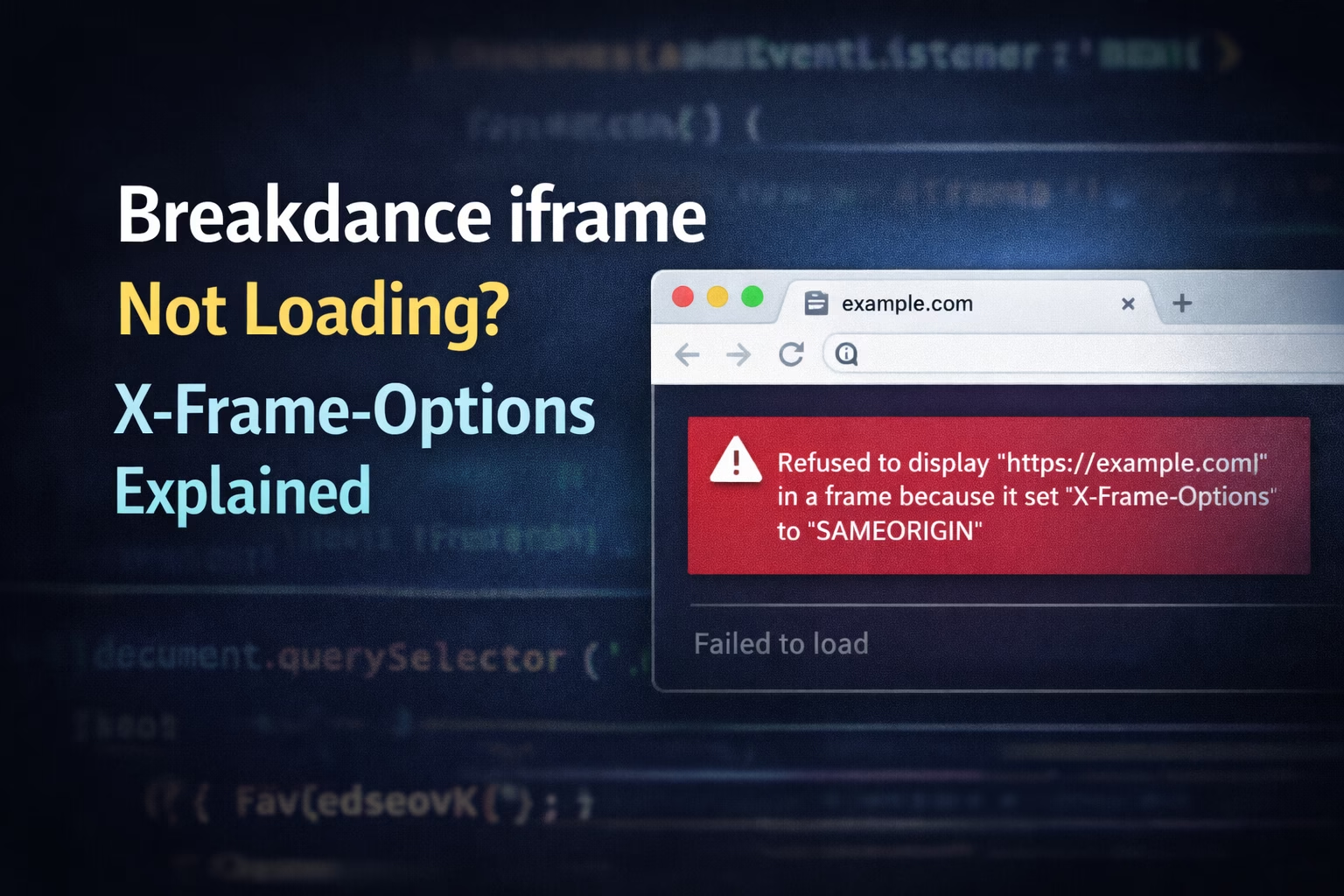
Open DevTools → Console, and you’ll usually see something like this:
Refused to display 'https://example.com' in a frame because it set 'X-Frame-Options' to 'SAMEORIGIN'Important:
- The iframe exists
- No JS error
- Nothing renders
This is why people waste hours debugging Breakdance settings or JavaScript.
What Is X-Frame-Options? (In Simple Terms)
X-Frame-Options is an HTTP response header that tells the browser:
“Can this page be embedded inside an iframe?”
Common values:
DENY→ Never allow iframe embeddingSAMEORIGIN→ Only allow if iframe is on the same domainALLOW-FROM→ Deprecated (not reliable)
Full technical reference (worth bookmarking):
👉 https://developer.mozilla.org/docs/Web/HTTP/Headers/X-Frame-Options
If the site you’re embedding does not explicitly allow framing, the browser blocks it — before Breakdance even gets involved.
Why It Works in Breakdance Editor but Not on Frontend
This is the part that confuses most devs.
Editor Environment
- Editor runs in a controlled iframe
- May bypass or mask some frontend restrictions
- Runs with additional helpers and scripts
Frontend Reality
- Real browser security rules apply
- Headers are strictly enforced
- No editor safety net
This same “editor vs frontend mismatch” also causes JavaScript timing issues in Breakdance. If you haven’t read it yet, this explains the pattern clearly:
Breakdance vs Elementor (Important Context)
This is not unique to Breakdance, but Breakdance makes it more obvious.
| Builder | Behavior |
|---|---|
| Elementor | Often hides iframe issues during testing |
| Breakdance | Shows frontend behavior immediately |
| Browser | Enforces headers regardless of builder |
Breakdance isn’t stricter — it’s just more honest.
Related deep dive:
👉 https://babarilyas.com/breakdance-loads-scripts-differently-elementor/
How to Confirm X-Frame-Options Is the Problem
Step 1: Open DevTools → Network
- Reload the page
- Click the iframe request
- Check Response Headers
If you see:
X-Frame-Options: SAMEORIGINor
X-Frame-Options: DENYThat’s your problem. Period.
Chrome’s error reference (helpful for juniors):
👉 https://developer.chrome.com/docs/devtools/console/log/
Fixes (From Safest to Riskiest)
✅ Fix 1: Configure the Embedded App (BEST)
If you control the iframe source:
- Remove
X-Frame-Options - Or replace with
Content-Security-Policy: frame-ancestors
Example CSP header:
Content-Security-Policy: frame-ancestors https://yourdomain.com;This is modern, secure, and recommended.
OWASP reference (security-aware clients love this):
👉 https://owasp.org/www-community/attacks/Clickjacking
⚠️ Fix 2: Apache (.htaccess) Override (Use Carefully)
If you own the server and understand the risks:
<IfModule mod_headers.c>
  Header always unset X-Frame-Options
</IfModule>
Or restrict it properly:
Header always set Content-Security-Policy "frame-ancestors 'self' https://yourdomain.com"🚨 Warning:
Removing this globally can expose you to clickjacking.
⚠️ Fix 3: Nginx Header Config
add_header Content-Security-Policy "frame-ancestors https://yourdomain.com";Reload Nginx after changes.
❌ Fixes That Will NOT Work
Let’s kill some myths:
- ❌ JavaScript workarounds
- ❌ Breakdance iframe settings
- ❌ CSS visibility tricks
- ❌ Delays / polling / observers
This is not a DOM or JS problem.
Cache & CDN Gotchas
Sometimes headers don’t update because of caching.
Before testing:
- Clear WordPress cache
- Clear server cache
- Purge CDN (Cloudflare, etc.)
Here’s a proper guide if you want zero guesswork:
👉 https://babarilyas.com/how-to-clear-wordpress-cache/
Security Note (Important for Clients)
Clients often ask:
“Why can’t we just disable it?”
Your answer:
- X-Frame-Options protects against clickjacking
- Removing it blindly is a security risk
- CSP
frame-ancestorsis the modern solution
This builds trust and positions you as a professional, not a hacker.
Final Thoughts
If a Breakdance iframe is not loading on the frontend, the issue is almost always:
✔️ X-Frame-Options
✔️ CSP restrictions
✔️ Browser security (not Breakdance)
Once you stop debugging the builder and start checking headers, the fix becomes obvious.
If you’re embedding external apps, dashboards, or partner tools and want it done safely, this is something I deal with regularly.
👉 https://babarilyas.com/contact/